

Taras Dehtiar
Product version
Date
7 months ago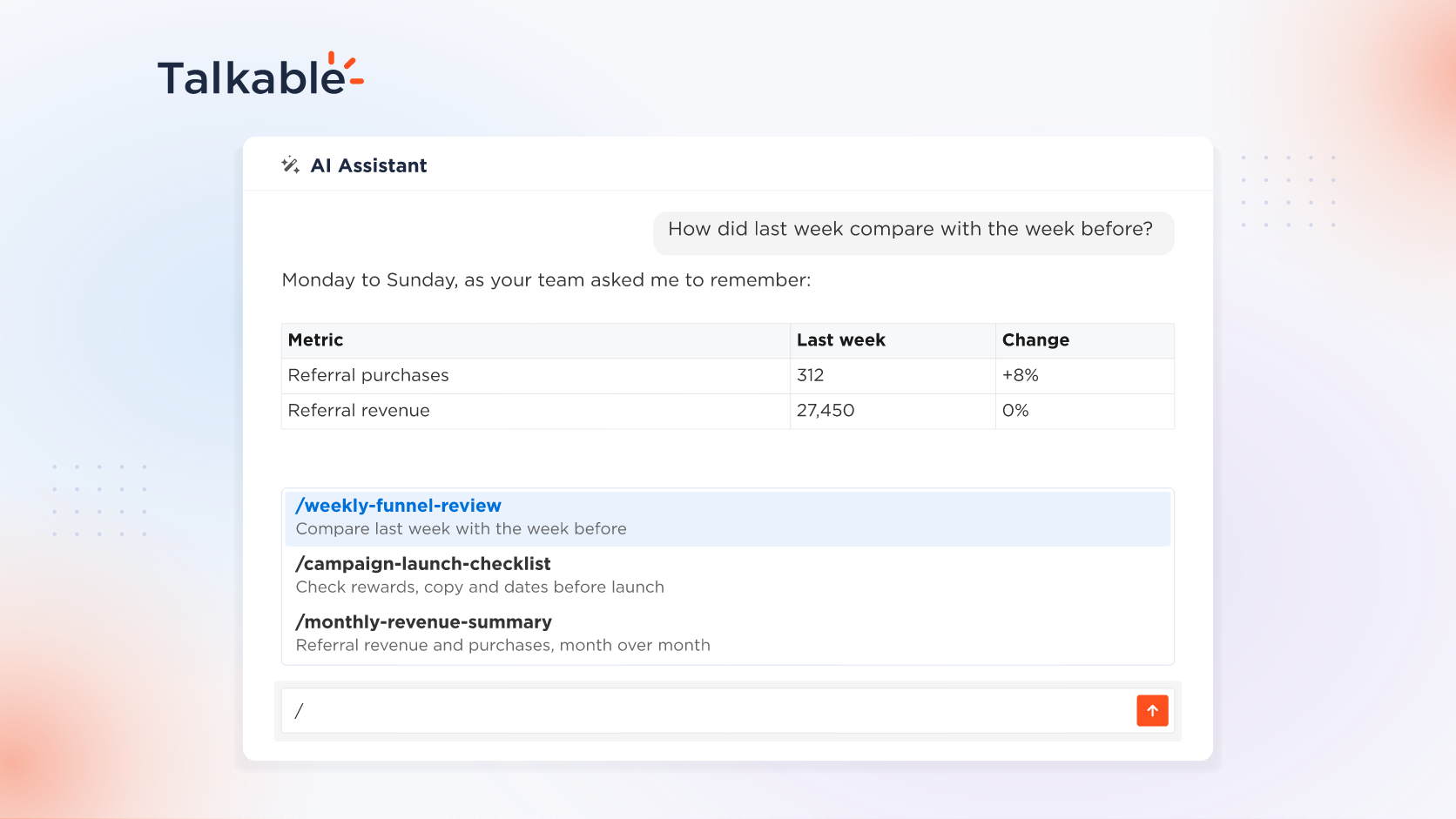
We’ve added skills and memory to the AI Assistant in your Talkable dashboard: teach the assistant how your team works and what to remember about your site.
Every referral program runs on routines: a weekly look at the funnel, a checklist before each campaign goes live, the way your team reads the numbers. Skills turn one person’s know-how into a workflow anyone on the team can run, the same way each time, and memory keeps your context at hand.
Here’s what’s new:
- Save a multi-step task as a skill. Walk the assistant through a task once, such as a weekly funnel review or a campaign launch checklist, and ask it to save the steps.
- Run it as one command. Type / to pick a skill, or run one by name, such as /weekly-funnel-review. Or save one to work in the background, and the assistant applies it when a task matches.
- Keep it personal or share it with your team. A personal skill follows you across your sites. A site skill is shared with your team on the site, so everyone follows the same steps.
- Remember facts and preferences. Save what the assistant should know, personal or site-wide, and it brings that context into every new conversation. Ask it any time what it remembers, and it never shows your personal memories to other users.
Try: “Remember for the team on this site: our reporting week starts on Monday, and we compare each week with the one before.”
With skills and memory, the AI Assistant follows your team’s process and starts each conversation with your context.
For setup details, see the Talkable AI documentation.
Date
Posted 7 months ago