

Taras Dehtiar
Product version
Date
3 months ago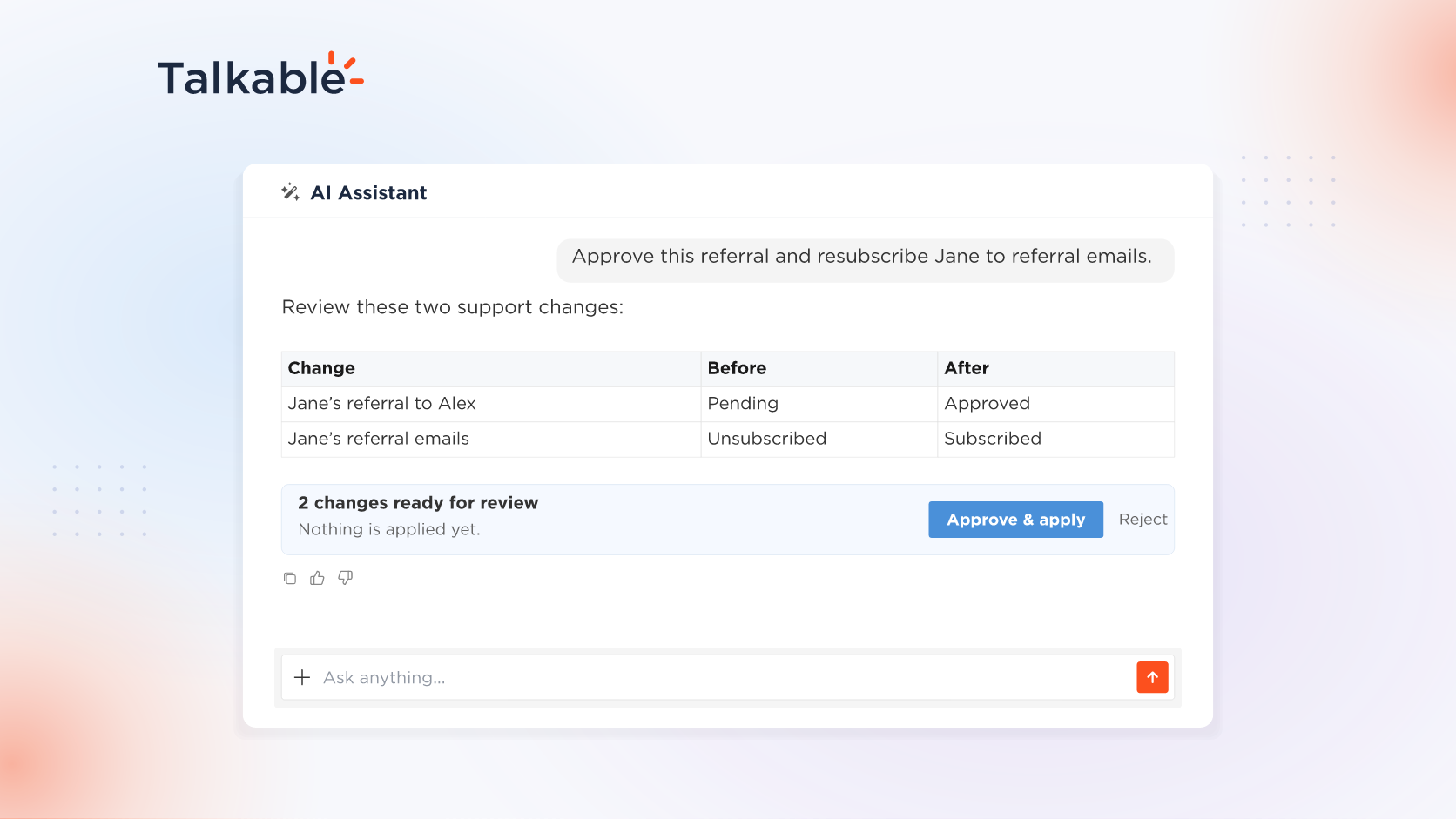
We’ve added customer support actions to the AI Assistant in your Talkable dashboard. Ask in plain language, and the assistant looks up the person, referral, or coupon, explains what happened, and prepares the change for your approval.
Most referral, reward, and coupon requests come down to a lookup and a decision. With this update, the assistant that answers questions about your program also acts on it: it handles both steps in one conversation and shows you every change before it is applied.
Here’s what’s new:
- Look up a person, referral, or coupon. A person’s subscription and privacy status, found by email; a referral’s status, who referred whom, and how it was tracked; a coupon’s expiry and single-use status.
- Act within your role. Approve or void a referral; unsubscribe, resubscribe, or anonymize a person; expire a coupon code. Actions are available to Write and Admin users in the dashboard, and to teammates with the Customer Support role from a connected agent. The same lookups and actions work from your own agent over MCP, under the access you grant, where a write credential applies changes immediately, without the preview.
- Preview the whole set, approve once. The assistant gathers every change a request needs into one preview and applies the set after a single click on Approve & apply. Only the person who asked can approve.
- Talkable’s logic stays in charge. Approving a referral runs the same approval and reward code as the Customer Service Portal. Fraud checks and reward issuance stay with Talkable’s deterministic logic, never the model.
Try: “Is jane@example.com subscribed to our referral emails? She asked to hear from us again, so resubscribe her.”
With support actions, the AI Assistant takes your team from a customer’s question to an approved change in one conversation, with Talkable’s own logic behind every action.
For example prompts and permissions, see the Reporting and support documentation.
Date
Posted 3 months ago