

Ksyusha Bespalova
Product version
Date
3 days ago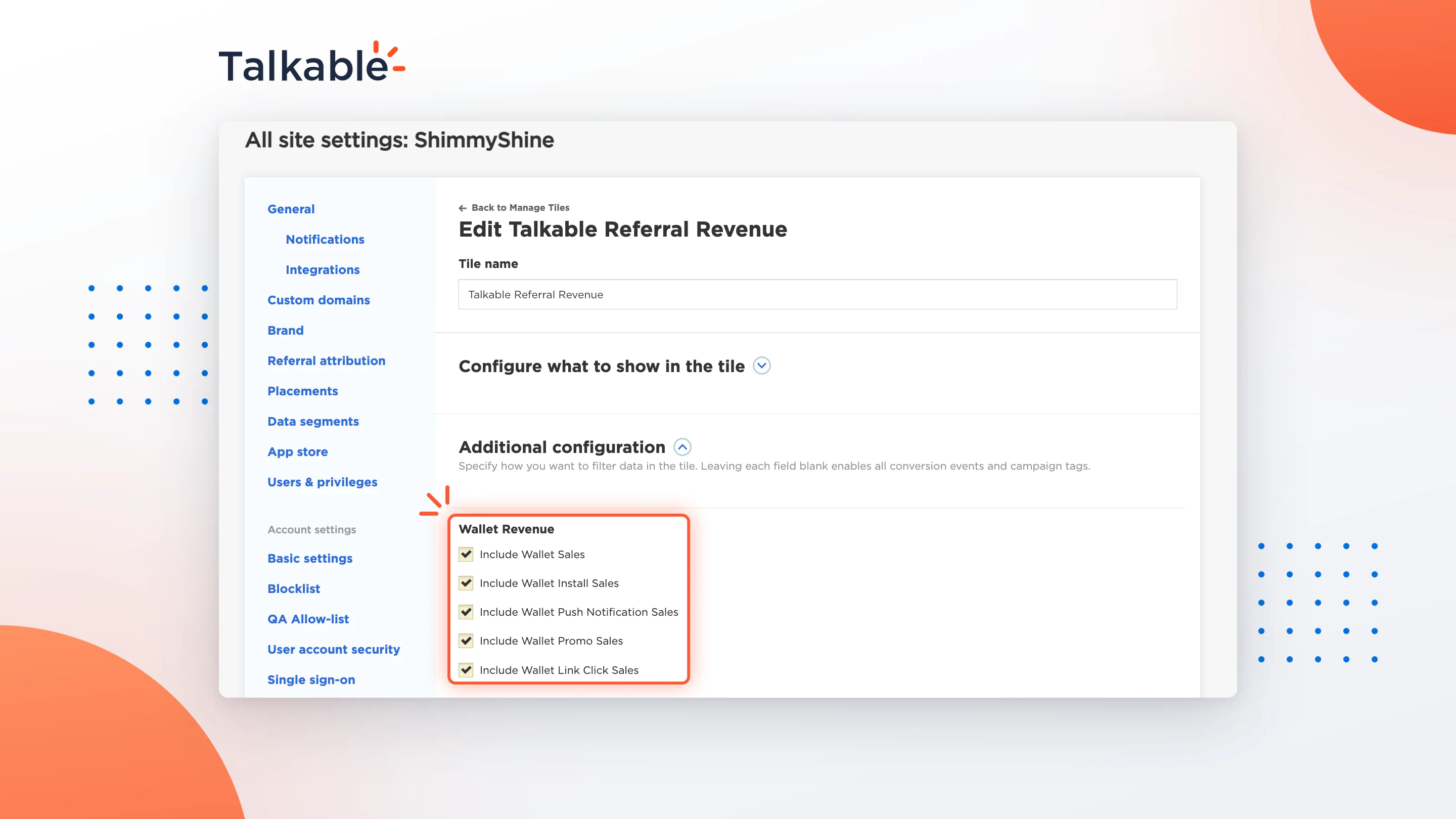
A Wallet pass keeps working long after the referral. It stays on your customer’s phone and brings them back with push notifications, promotions, and links. With this update, the sales those moments drive can count toward the Referral Revenue tile on your Dashboard, so your headline number shows the full value of your program.
Talkable’s team sets which Wallet sales to include for your site, from five sources: Wallet referrals, pass installs, push notifications, Wallet Promo messages, and links on the pass. They appear alongside the revenue you already track from referrals, in one view your team can trust.
Here’s what you can do:
- See the whole picture. Count sales from Wallet referrals, pass installs, push notifications, Wallet Promo messages, and Wallet links together with your referral revenue.
- Every metric, not just revenue. Included Wallet sales add to the tile’s revenue, transactions, average order value, and distributions.
- Each sale counted once. A purchase already credited to a referral or to another Wallet source isn’t counted again, so your total stays accurate.
- Know what’s behind the number. The tile’s tooltip shows which Wallet sources are included and the attribution window for each.
- Choose what counts. Each of the five sources can be included or left out for your site.
With Wallet sales in your Referral Revenue, you see what your program earns from the first share to every sale your Wallet passes bring in after it.
To learn more, see the Talkable Wallet documentation.
Date
Posted 3 days ago