

Ksyusha Bespalova
Product version
Date
4 months ago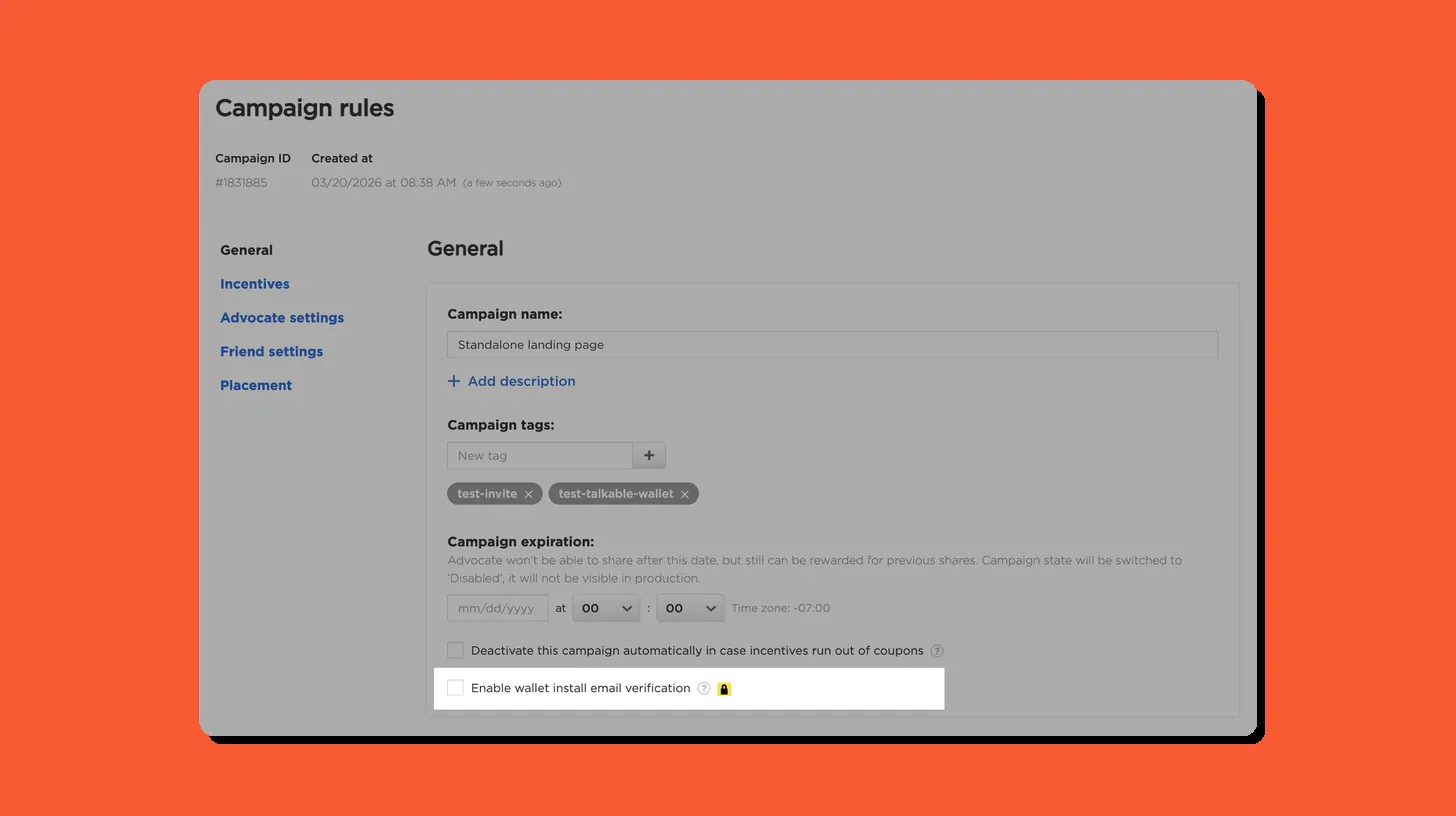 Until now, anyone could install your brand’s Talkable Wallet pass without proving the email address was actually theirs.
Advocates could add a Wallet pass to their phone without any identity check – meaning the email tied to the wallet had no guarantee of belonging to the person installing it. For brands relying on Wallet for push notifications and personalized promotions, this left a gap in the integrity of their audience.
We’ve introduced an optional email verification step before Wallet pass installation.
Here’s how it works:
- Enable Wallet Install Email Verification in Campaign Settings to turn on the verification flow for a campaign
- When enabled, advocates see a verification modal on the Share Page with a “Send wallet installment link” button
- The pass link is sent to the advocate’s email – they must click it to complete the installation
- Enabling this setting automatically locks the Wallet Welcome Email toggle, which is required for the flow to work
For brands using Talkable Wallet for push notifications and promotions, this means every pass in your audience belongs to a real, confirmed inbox – making your wallet communications more reliable and your data cleaner.
Date
Posted 4 months ago