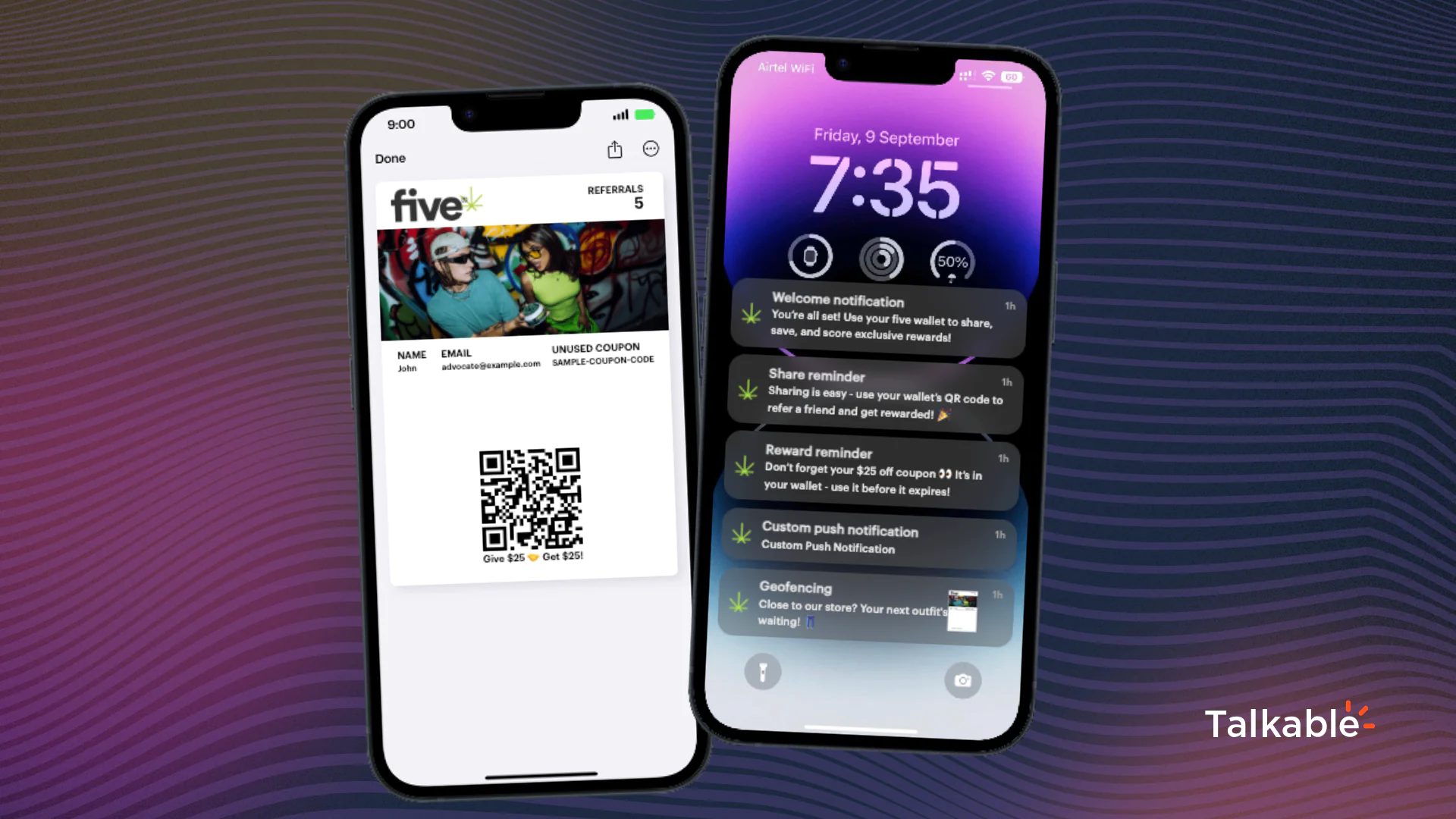

Your customer just put your brand on their lock screen. They tapped the pass, confirmed the OS prompt, and manually placed it in their wallet. That is the most intentional thing a retail customer does outside of actually handing over money. Most marketing stacks treat it like a system event and move on.
This needs to change, and now it can. Talkable just shipped a post-install webhook event in the Custom App. When someone installs your wallet pass, a POST request fires to any endpoint you choose. That single event can trigger a Klaviyo welcome flow, award loyalty points, nudge an SMS opt-in, feed a CDP segment, or ping your rep for a high-LTV account. All of it automatic, all of it in real time.
Install is the moment most brands miss
Email list growth gets a dashboard. SMS opt-ins get a funnel metric. Wallet pass installs? For most brands, the install registers somewhere in the backend and triggers one default welcome email. Full stop.
That gap has always bothered me. The customer who installs a wallet pass did something email subscribers almost never do: they acted intentionally in their phone’s OS. They tapped “Add to Apple Wallet” or “Add to Google Wallet,” accepted the permission prompt, and now your brand sits behind their lock screen. That is a different quality of engagement than ticking a newsletter checkbox at checkout.
Installing a wallet pass is a voluntary, intentional commitment that happens inside the OS itself. It is harder to do and harder to undo than subscribing to an email list. That signal deserves better than a single default welcome email.
Before this update, the install event lived inside Talkable. You could send a welcome email. That was it. You had no way to fan out to Klaviyo, fire a CDP event, award loyalty points, or send an SMS – all the downstream automations your team has already built for other onboarding moments.
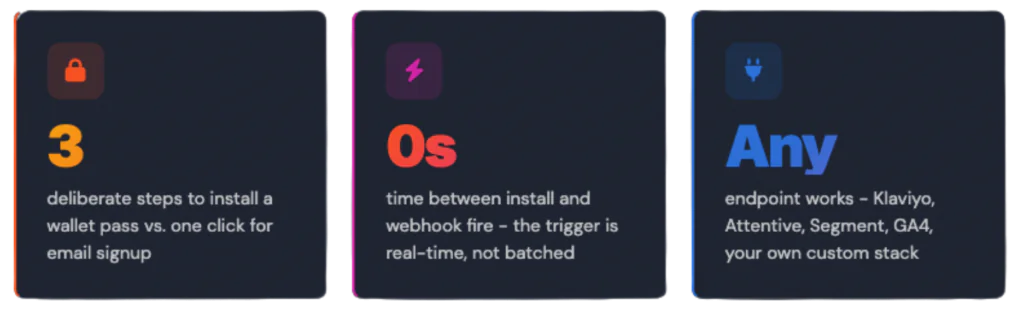
Email signup vs. wallet install: what the intent gap looks like
The friction difference is real and it matters for how you sequence your response. Here is a side-by-side breakdown.
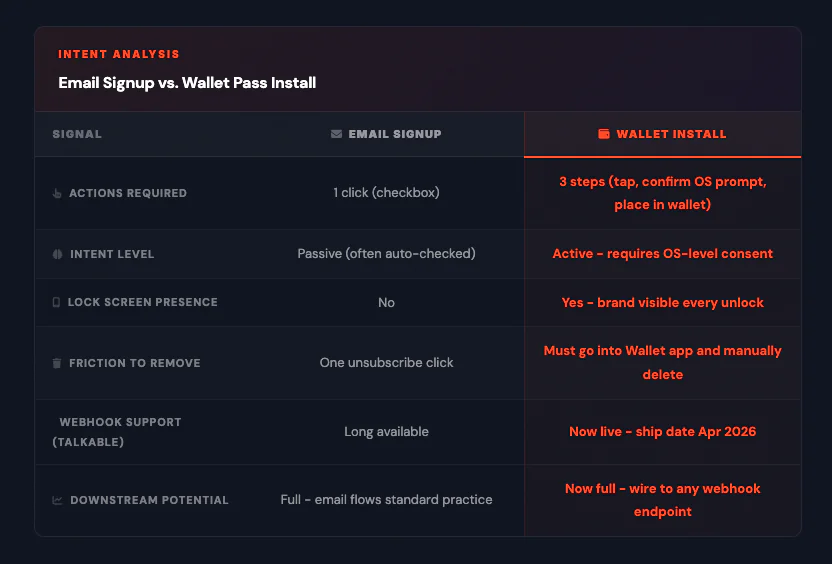
Six plays you can run on install today
The webhook fires a POST to any endpoint. What you do with it depends on your stack. Here are six plays worth wiring up right now.
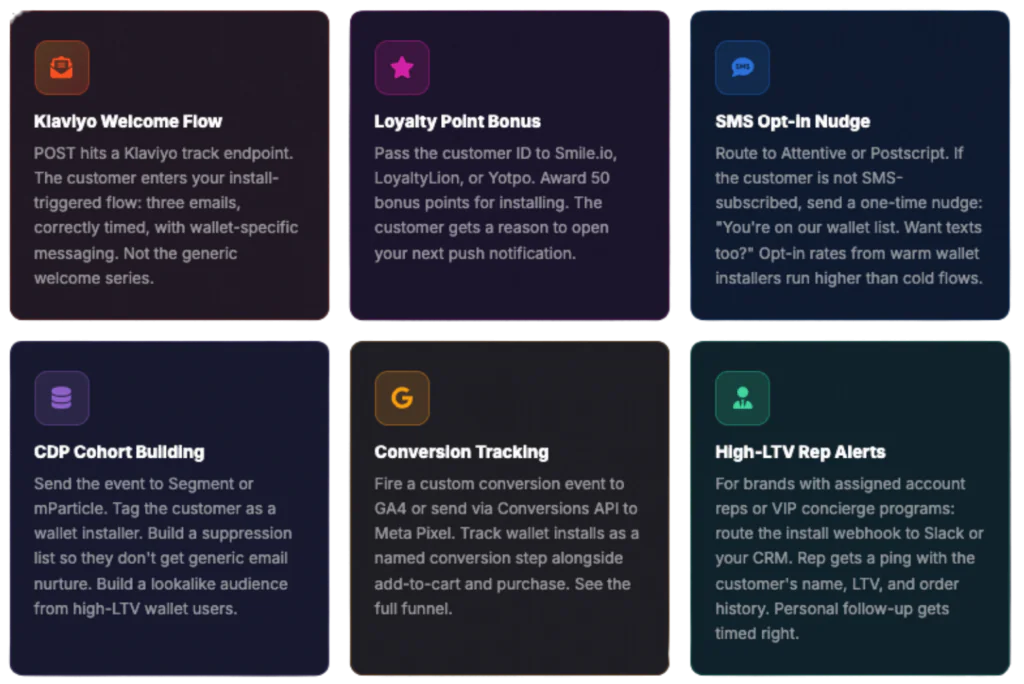
How to set it up: the toggle, the endpoint, the payload
The setup takes about five minutes if you already have an endpoint ready. Here is the exact flow.
Open your Talkable Custom App editor. Find the toggle labeled “Send Wallet Install Event.” Enable it. Enter your endpoint URL. That’s where the POST will fire every time someone installs your pass.
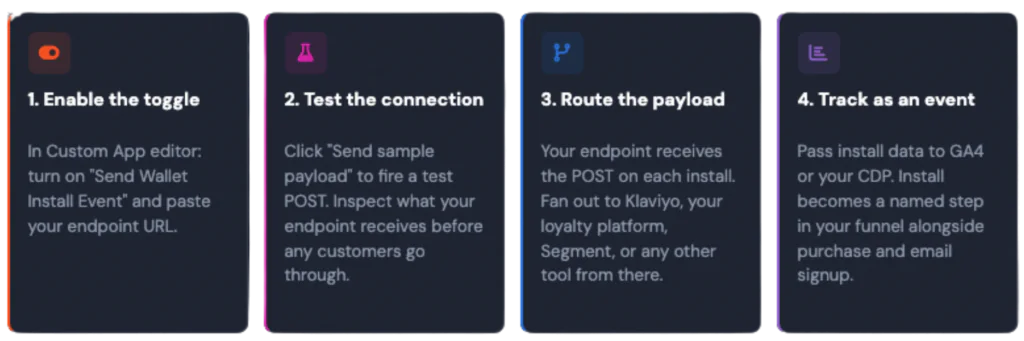
The payload includes enough data to identify the customer and the pass. You have what you need to look up their record in Klaviyo, match them in your loyalty platform, or build a segment in mParticle. You don’t need to configure any additional mapping on the Talkable side.
Compatible with Klaviyo and any webhook-capable integration – which is almost everything in a modern ecommerce stack. If your tool can receive a POST request, this works with it.
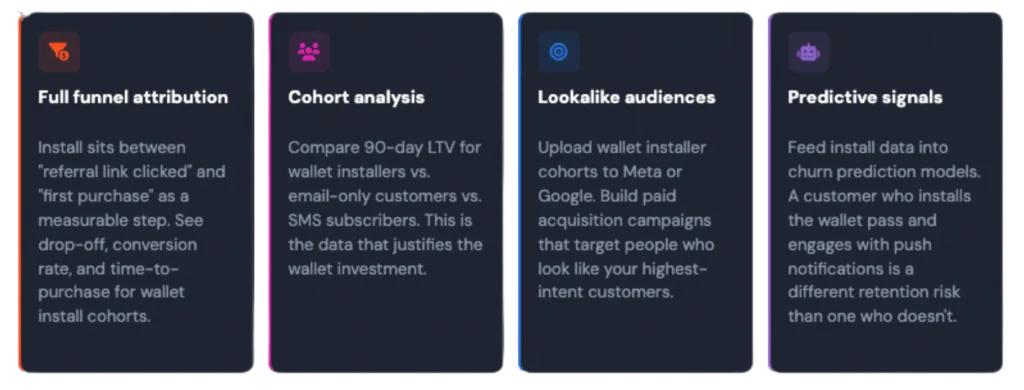
What this unlocks long-term: install as a first-class event
The immediate plays above are the obvious starting point. But the bigger shift is what install becomes when it is a real event in your data layer.
Right now, most brands have purchase, add-to-cart, page view, email open, and SMS click as named events they can analyze across tools. Wallet install has been sitting outside that group – visible inside Talkable, invisible everywhere else.
Check out what else is possible with Talkable Wallet, or see how wallet passes fit into a broader referral strategy. And for a look at what other features have shipped recently, the product updates page has the full list.