

Taras Dehtiar
Product version
Date
3 months ago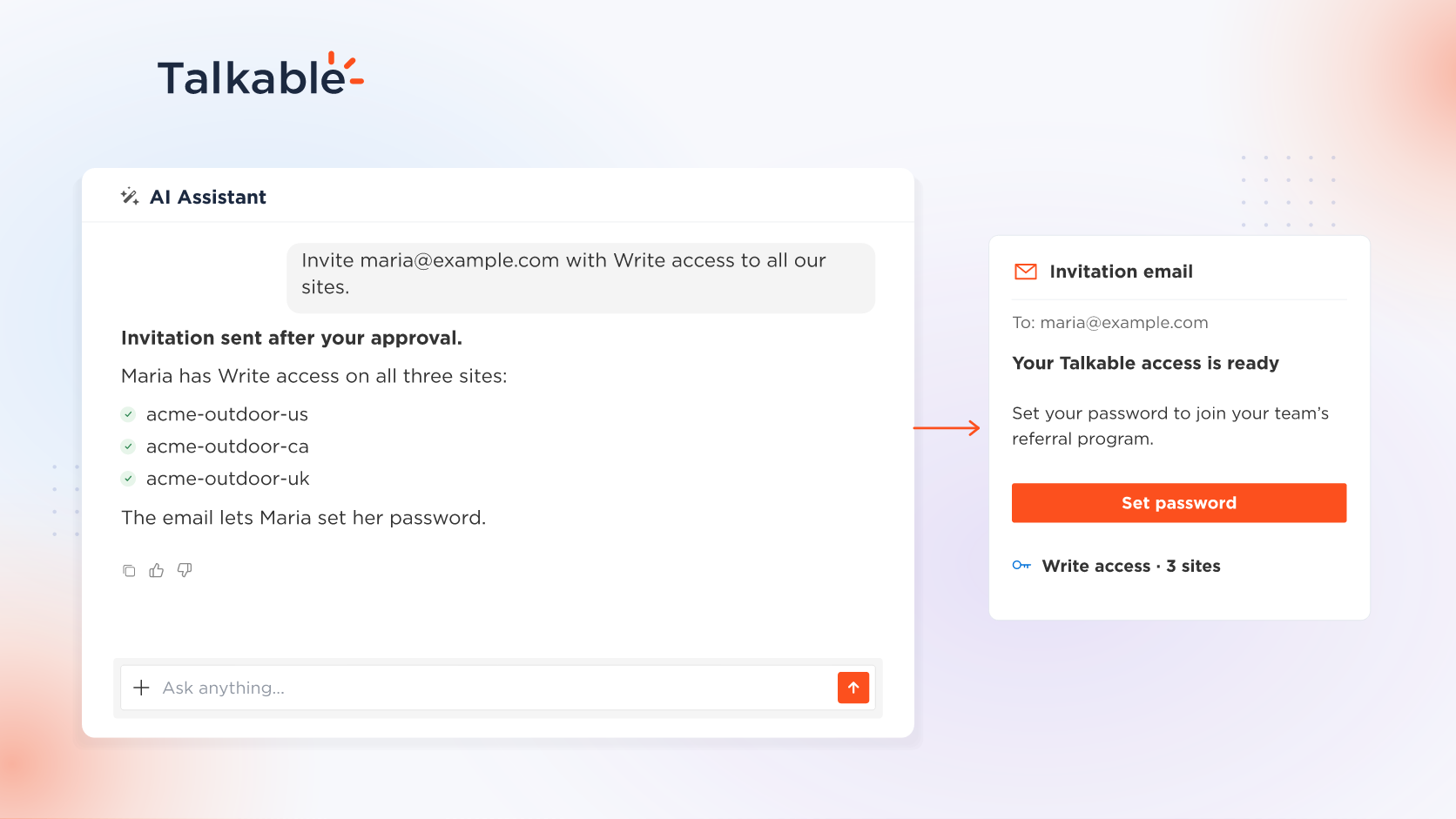
We’ve added team access to the AI Assistant. Invite teammates to your referral program, choose what each of them can do, on one site or all of them, and keep their access current, in one conversation.
A referral program runs on a team, from the marketer who builds campaigns to the support lead who answers advocates and friends. The AI Assistant that answers questions about your program also gives each teammate the right access on the right sites, following the roles your account already uses. A support lead invited with the Customer Support role works in the Customer Service Portal or from a connected agent, while your Write and Admin teammates resolve support requests in the AI Assistant.
Here’s what you can do:
- Invite teammates and choose their role. Invite a teammate as Customer Support, Read, Write, or Admin, on one site or on all your sites. New teammates get an email to set their password.
- Change roles and site access. Change a teammate’s role, remove their access to a site, or send a password reset.
- See who has access. Ask who has access to a site and which role each teammate holds.
- Keep access current. Deactivate a teammate who leaves and reactivate one who returns. Account-level admin access is granted or revoked the same way.
Try: “Invite maria@example.com with the Write role on all our sites.”
In the dashboard, every change is previewed and waits for Approve & apply. Your own agent over MCP manages your team within the access you grant. With team access, your team joins your referral program from one conversation, each teammate with the role that fits their work.
For example prompts and permissions, see the Reporting and support documentation.
Date
Posted 3 months ago