

Ksyusha Bespalova
Product version
Date
2 days ago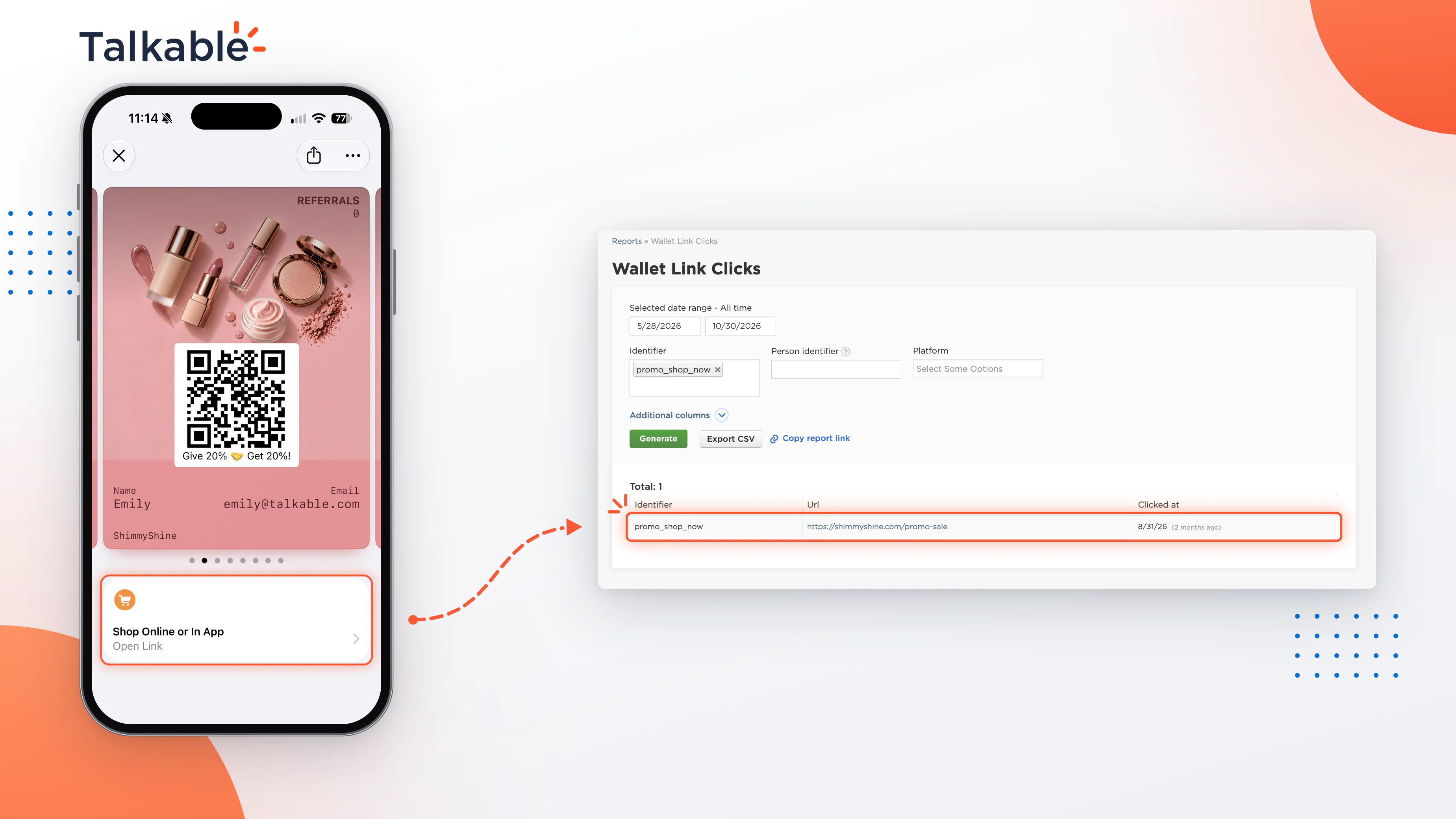
Every Talkable Wallet pass is a small storefront that lives on your customer’s phone. The links on it, from a Featured Action on the front of the pass to a link in the pass details, give customers a direct path back to your store. With this update, Talkable shows not just how often those links are clicked, but the sales and revenue that follow.
What is a Wallet link click?
A Wallet link click is a click on a tracked link on your Wallet pass. That includes Featured Actions on the front of the pass and links in the pass details. Clicks on Wallet Promo links are tracked as their own channel, so you can see your everyday pass links and your promotions separately.
How it works
- Every tracked link counts. Talkable records each click on a tracked link on the pass.
- A click becomes a sale when the customer buys. If the same customer makes a purchase on your site within the attribution window after clicking, Talkable credits that sale to the Wallet link. The window is 72 hours by default and can be adjusted for your site.
- One sale, one channel. Each purchase is credited to a single Wallet channel, so no sale is counted twice. When a purchase follows several Wallet interactions, Talkable credits it in a fixed order: pass install, Wallet referral, Wallet Promo link, Wallet link, Wallet Promo push, then regular push notification.
- Clean data by default. QA activity is excluded, refunds are handled, and the same deduplication rules apply as across the rest of your Talkable reporting.
Link attribution is on by default. If you prefer, Talkable’s team can turn it off for your site, and click tracking keeps running.
Why it matters
Pass links are always on. They’re there whenever your customer opens the pass, with no campaign to schedule. Seeing the revenue behind them lets your team:
- Prove the value of Wallet. Show leadership the sales your pass links bring in, next to installs, referrals, promotions, and push notifications.
- See the full Wallet journey. Know which part of your Wallet program drives revenue, from the moment a pass is installed to every click after it.
- Plan with confidence. Decide where to focus your Wallet efforts based on revenue, not just clicks.
How we measure it
Talkable reports Wallet link performance in three metrics:
- Wallet Link Clicks. The number of clicks on tracked Wallet links, not counting Wallet Promo links. Standard bot and throttling rules apply.
- # Wallet Link Click Sales. The number of purchases credited to a Wallet link click.
- $ Wallet Link Click Sales. The revenue from those purchases, with each purchase counted once.
For click-level detail, the Wallet Link Clicks report under Reports → Support covers both Wallet link and Wallet Promo link clicks. It’s available to users with the Write role and access to customer personal data. Wallet link sales can also count toward the Referral Revenue tile on your Dashboard, alongside the rest of your referral and Wallet revenue.
Attribution credits purchases that follow a click within the window, giving you a consistent measure you can compare across every Wallet channel.
With Wallet link click sales, every link on your pass has a number attached, so your team can see what Wallet earns and grow it with confidence.
Date
Posted 2 days ago