

Taras Dehtiar
Product version
Date
5 days ago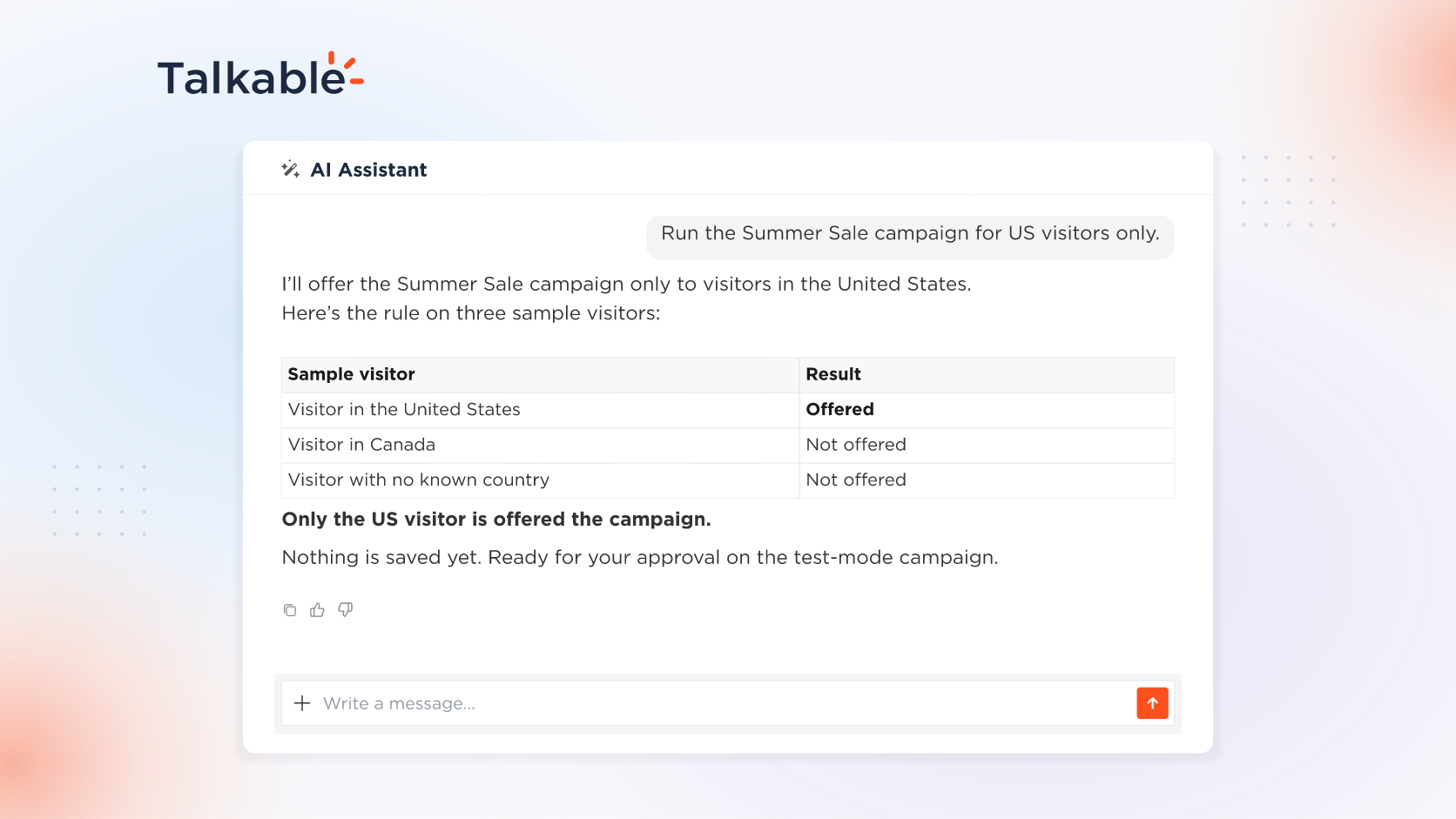
With this update, the AI Assistant writes campaign targeting rules from plain language, the way it already writes reward rules. Tell it which visitors a campaign is for, where advocates and friends land, or when a campaign email goes out. The assistant writes the rule, tests it on sample cases, and saves audience and link rules when you approve.
A reward rule decides who earns. A targeting rule decides who is offered the campaign, where its links take people, and which advocates get each email.
Here’s what you can do:
- Choose who the campaign is for. Visitors from one country or several, or customers with a property your site records, such as a 4- or 5-star review score. IP filtering and returning-visitor targeting use the campaign’s built-in settings.
- Send advocates and friends where you want. Add UTM parameters or a visitor ID to the link friends follow from the claim page, or change where advocates land from reward emails.
- Decide when each email goes out. Describe the sending rule for a campaign email, such as only to advocates who have shared fewer than two times, and the assistant writes and tests it the same way.
- Tested on sample cases. For a US-only rule, the assistant runs it on a US visitor, one from another country, and one with no known country, and shows who is offered the campaign. Testing saves nothing.
- Saved on your approval. Audience and link changes to your test-mode campaign appear as a preview and are saved when you approve.
With campaign building in the assistant, one conversation sets up a campaign’s rewards, audience, and links.
Try: “Run the Summer Sale campaign for US visitors only.”
With targeting rules in plain language, your team decides who sees each campaign, where every click lands, and when each email goes out.
For setup details, see the Building campaigns with AI documentation.
Date
Posted 5 days ago